Find the current answer
Search the order once and see the latest requirement, owner, status, decision, and supporting evidence.
FABELAQ PRODUCT / APPAREL OPERATIONS
Order Flow connects buyer requirements, commercial decisions, factory progress, quality, and shipment evidence in one accountable workspace.
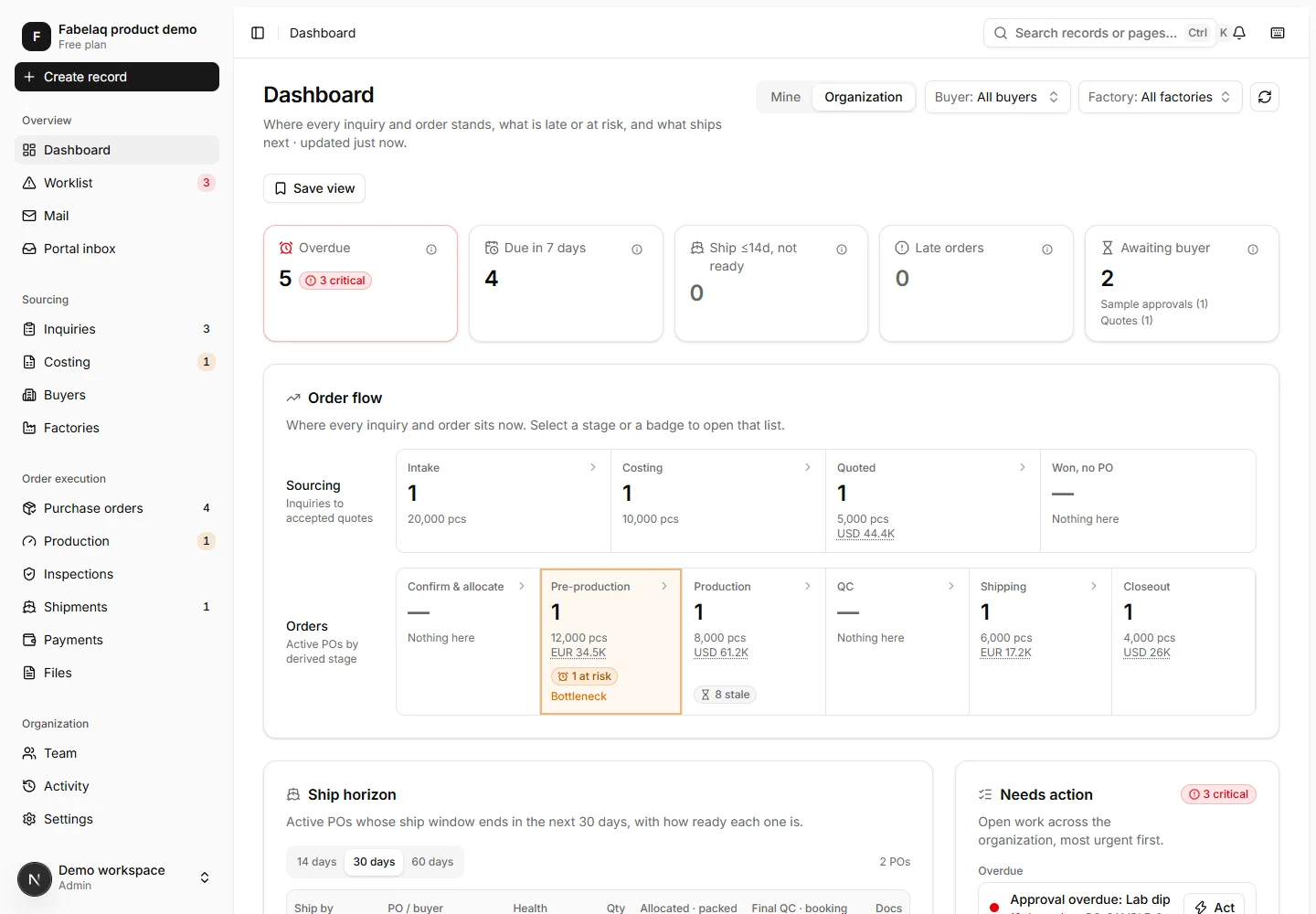
A live workspace for orders, deadlines, risks, and the people responsible for the next action.
A shared operating picture
The order becomes the common thread across teams. Requirements, dates, quantities, decisions, evidence, and exceptions stay attached to the work they affect.
Search the order once and see the latest requirement, owner, status, decision, and supporting evidence.
Bring overdue work, approval waits, stale updates, and shipment risks into role-specific worklists.
Preserve revisions, waivers, approvals, quantity changes, documents, and user activity in context.
Give managers a current operational picture without waiting for another spreadsheet consolidation.
One connected lifecycle
Each stage carries forward the context, decisions, and responsibilities created before it.
Capture buyer requirements, styles, and the information still needed.
Compare factory responses, prepare cost versions, and record buyer decisions.
Turn an accepted quote into a PO with quantities and factory allocations.
Coordinate sample approvals, material checkpoints, and time-and-action plans.
Track cut-to-pack quantities, blockers, inspections, and release decisions.
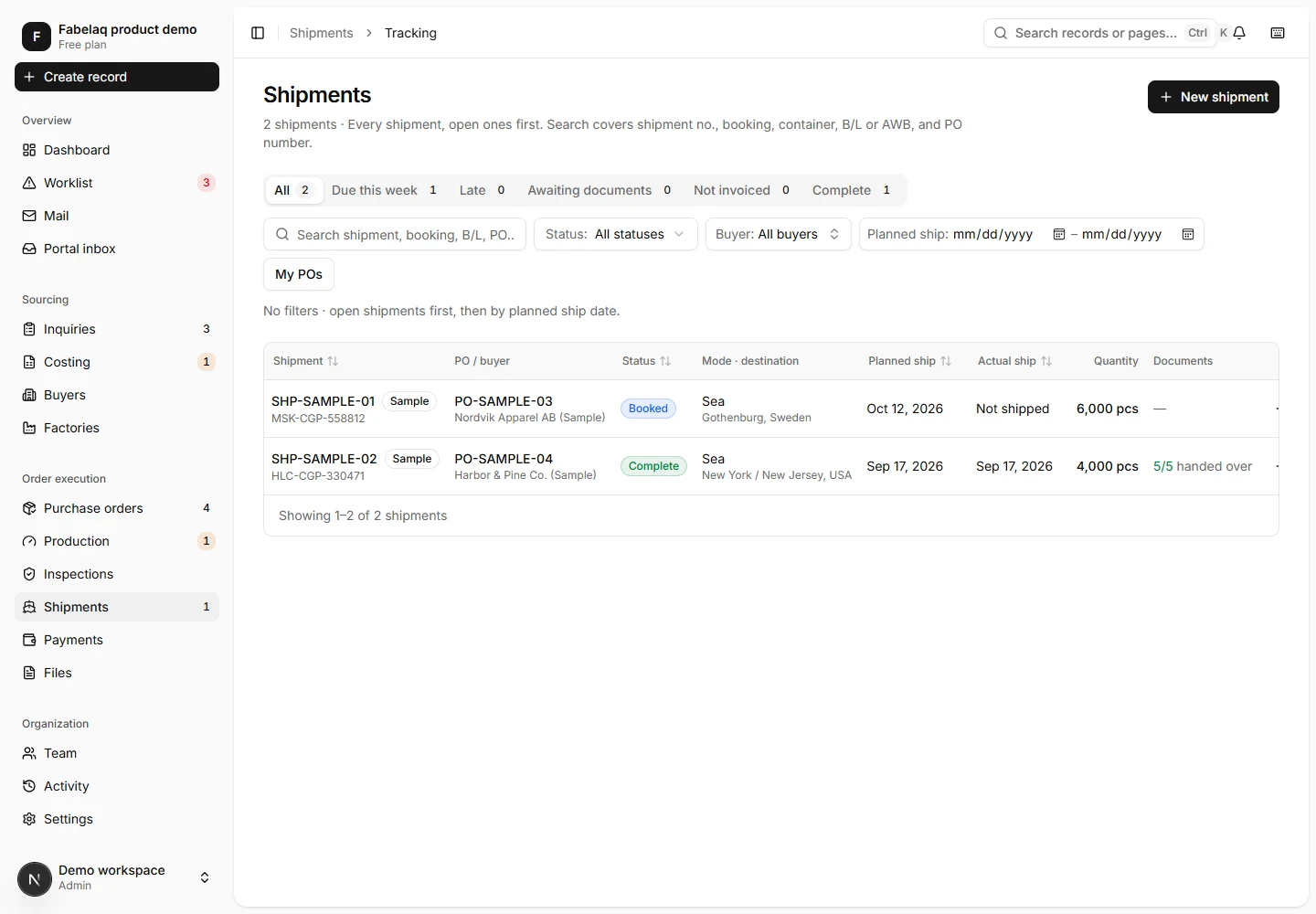
Follow shipment quantities, document handover, payments, and order closeout.
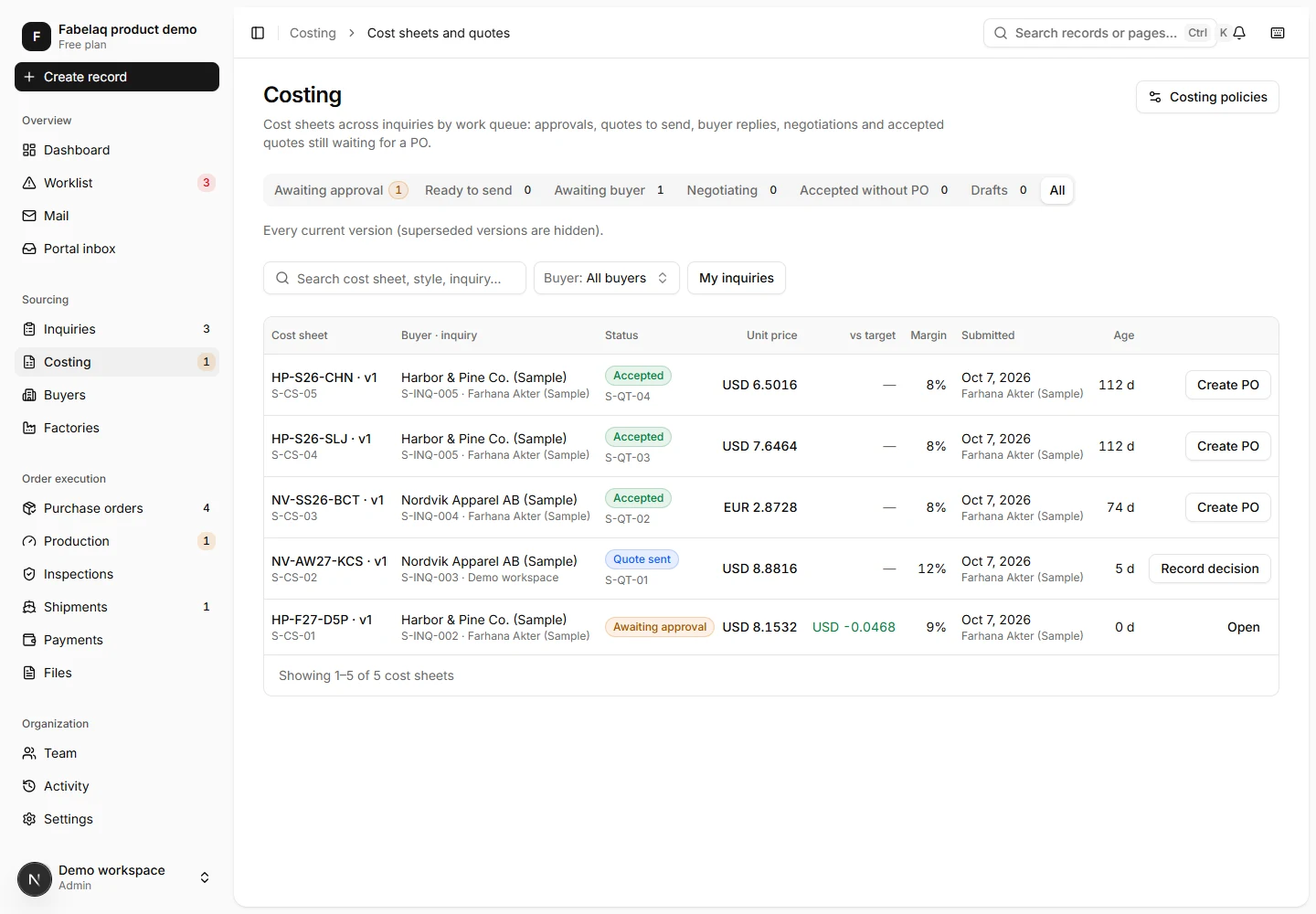
01 / Commercial clarity
Keep buyer requirements and style specifications beside factory responses. Prepare versioned cost sheets, route them for approval, and record the buyer decision before confirming an order.
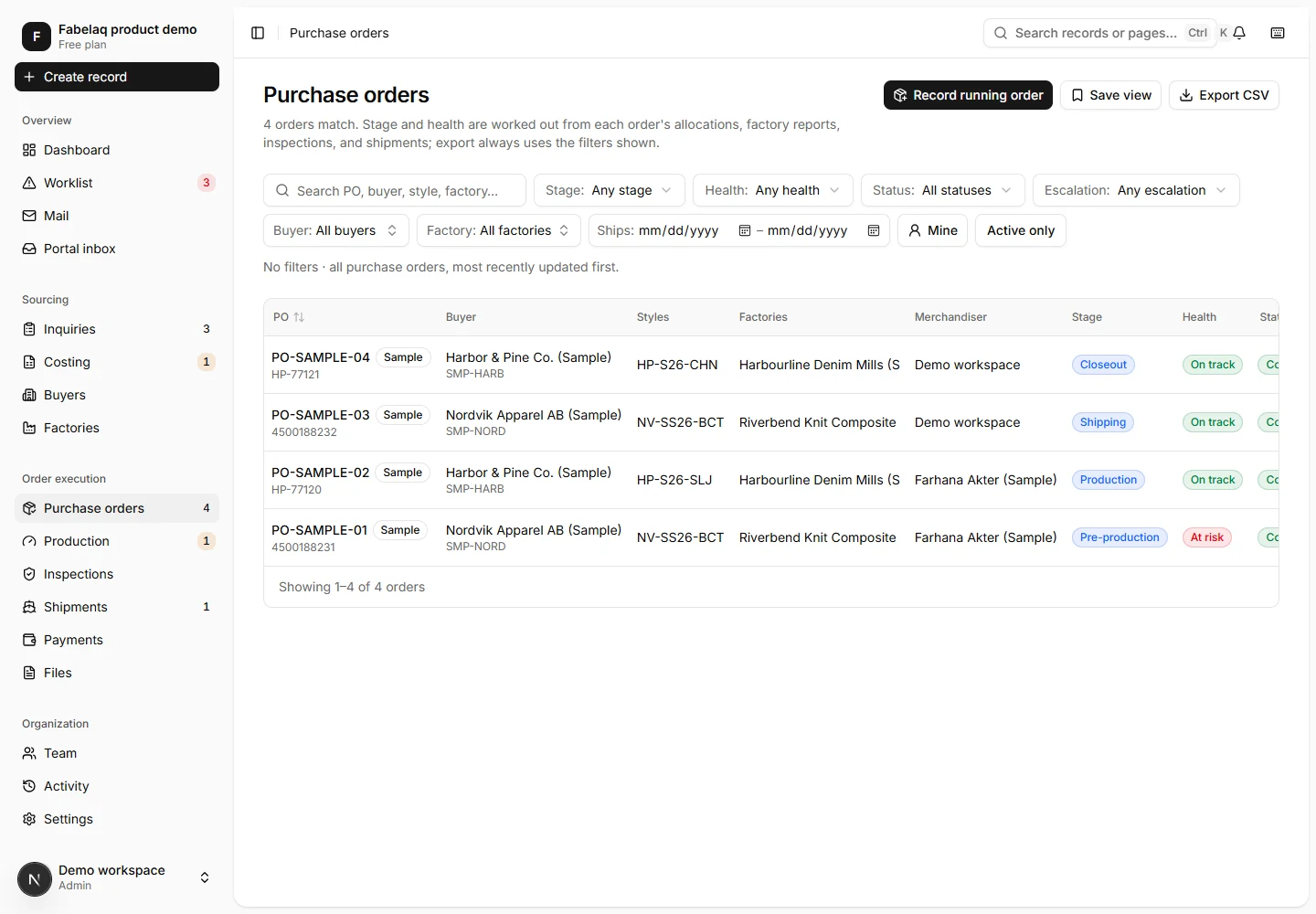
02 / Order control
Split quantities across factories, coordinate sample approvals and material checkpoints, and keep every time-and-action milestone tied to the current delivery plan.
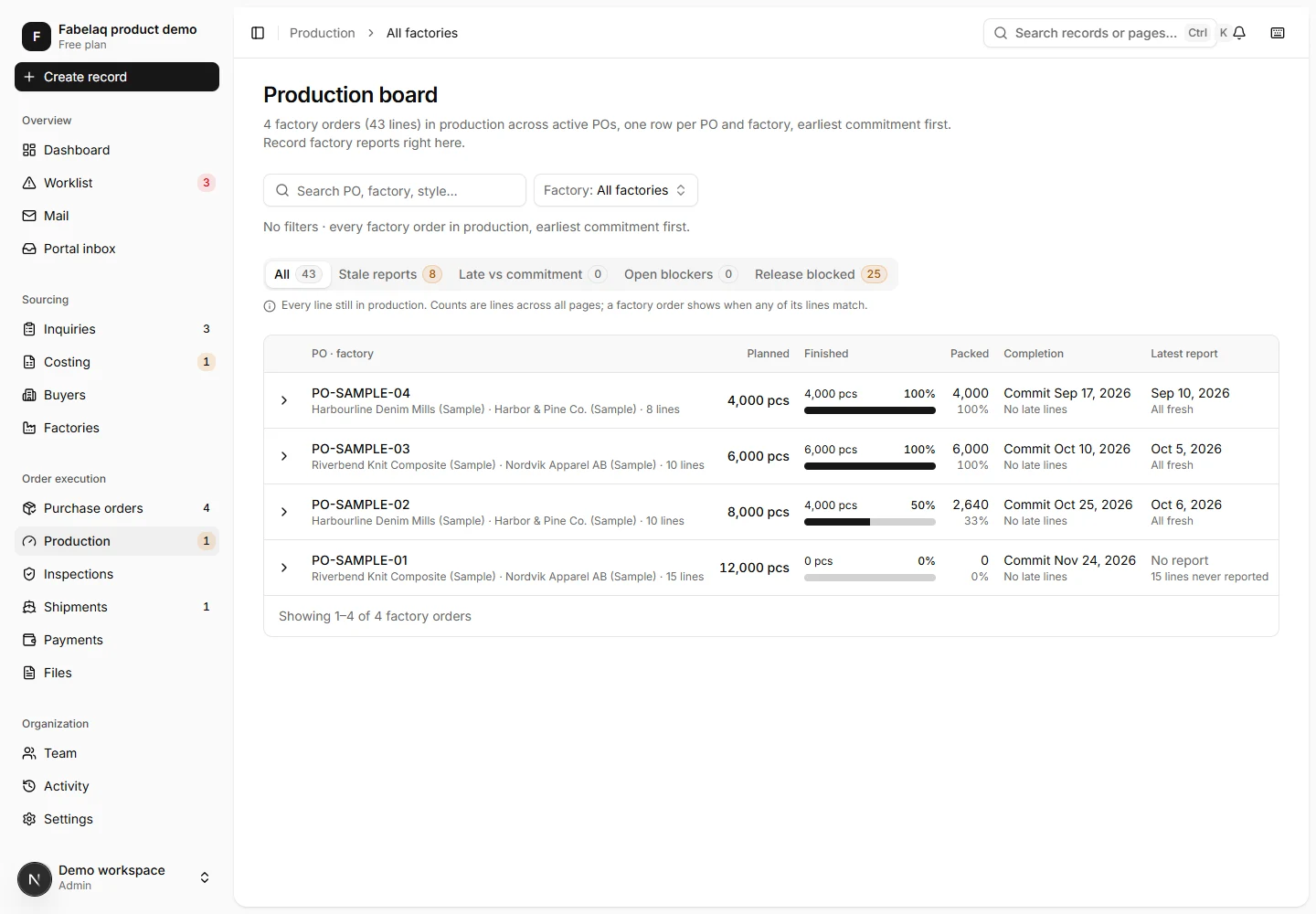
03 / Production & quality
Follow cut, sewn, finished, and packed quantities across factory allocations. Keep blockers visible with an owner and next action. Record the inspection decisions that determine whether an order can ship.
04 / Shipment & closeout
Coordinate shipment quantities and booking references, track required documents and handover, and follow invoices and payments. Resolve remaining exceptions before closing the order.
CONTROL WITHOUT THE BOTTLENECK
The system makes the rule visible, shows why work is blocked, and preserves the evidence behind important decisions.
Every company works inside its own protected organization workspace.
People see and change the records appropriate to their responsibility.
Approvals, inspections, shipment release, and closeout have explicit conditions.
Documents, revisions, comments, waivers, and decisions stay with the record.
BUILT AROUND RESPONSIBILITY
Each role gets the context and next actions it needs while management sees the whole operation.
Own the buyer requirement, costing, PO, approvals, materials, and the commercial thread around the order.
Plan inspections, record defects and results, follow corrective actions, and control shipment release.
Coordinate bookings, shipment quantities, document handover, invoices, and closeout exceptions.
See delivery risk, overdue work, responsible owners, and the evidence behind each status.
Pricing
Compare exactly what each plan includes, what it adds, and where external collaboration begins.
Essential
The complete operational workspace for a buying house team.
UNLIMITED STAFF USERS & PURCHASE ORDERS
Standard remote onboarding · Email support
Choose EssentialProfessional
Complete internal operations, communication, finance, and AI access.
UNLIMITED STAFF USERS & PURCHASE ORDERS
Guided remote onboarding · Priority support
Choose ProfessionalConnected
A connected workspace for your internal team, buyers, and factories.
UNLIMITED STAFF USERS & PURCHASE ORDERS
External rollout guidance · Priority support
Choose ConnectedCOMPARE PLANS
A check means the capability is included. “Not included” means the module is unavailable on that plan, not merely limited.
| FEATURE | Essential৳4,999 / month | Professional৳9,999 / month | Connected৳14,999 / month |
|---|---|---|---|
| Core ERPThe operational order lifecycle is never split across plans. | |||
| Staff users | Unlimited | Unlimited | Unlimited |
| Purchase orders | Unlimited | Unlimited | Unlimited |
| Inquiries, sourcing, costing, and quotes | Included | Included | Included |
| PO allocations, revisions, and commitment history | Included | Included | Included |
| TNA, approvals, production, quality, shipments, and files | Included | Included | Included |
| Activity history, notifications, worklist, and exports | Included | Included | Included |
| Internal operationsProfessional adds the tools used to run communication and commercial follow-up from the same workspace. | |||
| TNA and approval templates | Starter templates | Custom templates | Custom templates |
| Email templates | Not included | Custom templates | Custom templates |
| Invoices, payments, statements, and L/C follow-up | Not included | Included | Included |
| Record-linked mailbox | Not included | Unlimited mailboxes | Unlimited mailboxes |
| AI assistant connections | Not included | Included* | Included* |
| External collaborationConnected extends the controlled workspace to the buyers and factories that work with your team. | |||
| Buyer portal | Not included | Not included | Included |
| Factory portal | Not included | Not included | Included |
| External portal users | Not included | Not included | Unlimited |
| Portal approvals, production updates, files, and shipment handover | Not included | Not included | Included |
| Onboarding and supportSpecialist implementation work is always agreed separately, based on the work required. | |||
| Remote onboarding | Included | Guided | Guided internal and external rollout |
| Support | Priority | Priority + workflow review | |
AI assistant access connects a compatible third-party assistant using your role permissions. Any external AI subscription or usage fees are separate.
Data migration, integrations, custom reports, and on-site training are scoped separately. All prices are in BDT per organization, per month.
COMMON QUESTIONS
A tailored demo uses your workflow so fit, scope, and rollout are clear before a proposal.
SEE IT AROUND YOUR ORDER FLOW